
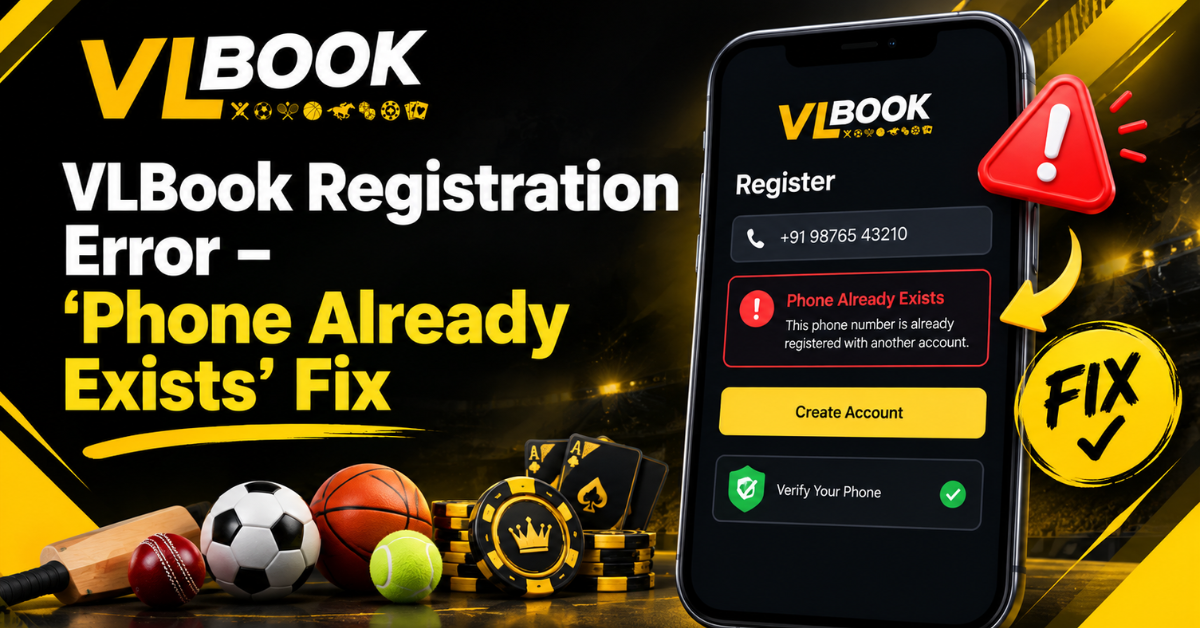
You finally decide to sign up for VLBook. Coffee in hand, phone at the ready. You type in your number, hit register and BAM. “Phone Already Exists”
Hold on. What?
You look at it for a moment. You know you never signed up with this number. Or maybe you did it, like, two years ago and totally forgot about it. Either way, you’re damned if you do, damned if you don’t. I can’t go forward and I can’t go back.
If that’s you right now, breathe. This is probably the most common mistake on VLBook and honestly it’s a 2 min fix when you know what’s actually going on.
What’s the Significance of Phone exists VLBook?
Just keep it simple. You can’t have two VLBook accounts with the same phone number. 1 number = 1 account. That’s all.
So when you get the Phone exists VLBook message, what the system is telling you is—hey, this number is already in our database. It is associated with a previously created account.
But why does it occur? Some real reasons I’ve seen people run into:
You signed up months ago and forgot about it. It happens all the time. You change phones, you forget passwords, you think you’re new, but you’re not.
Someone from the shop used your number to create a demo account. Yeah, this happens a lot more than you think at local stores.
Or you bought a second-hand SIM card. And the previous owner used it on VLBook. So now it is showing as Duplicate in their system even if it is new for you.
And sometimes—and this is annoying—you start registration, the OTP doesn’t come, you close the app, try again and the system has already saved your number as taken in a half-finished state.
Why the “Phone Already Exists” Pop-Up Keeps Coming Up
Okay, before we jump to fixes, let’s figure out WHY you’re seeing it. It is contingent upon the reason . Because the cure.
1. You have an old account
Most common. You’d be surprised how many people tell me “I never signed up” and I ask them to check their SMS inbox and they find a VLBook OTP from 2023.
2. The number was recycled
Telecom companies recycle numbers after 90 days. So your ‘new’ Jio or Airtel number could have a past.
3. A typo or auto-fill error
I saw a guy from Kharar trying to register, his phone kept autofilling his old number with an extra space. It was recognized by the system as the same number.
4. You registered too fast twice
You hit register, nothing happens. You hit it again. Server received 2 reqs. First one made a ghost account, second one says duplicate.
Honestly 90% of the cases are just case number 1. VLBook can already see you.
How to Fix Registration Error in VLBook—The Stuff That Really Works
Alright, we will get you in. No theory, only what works.
1. Stop trying to register. Instead, try logging in.
This may sound counter intuitive. But if the app claims your phone exists, then you are a user. So behave like one.
Go to Login, not Sign Up. Enter your mobile number. Click Forgot Password. You get an OTP, set a new password and you are in. 30 seconds.
This is the easiest way to fix registration error without contacting anyone. If your number is already in the system, you just reclaim it.
If you get the OTP, congratulations, that was your old account. You may still have all your data.
2. Do you have an existing VLBook number situation with another email
Sometimes you signed up with the same phone but different email. VLBook links the phone as primary, so even if you use a new email it will block you.
Do this, enter your phone number on the login screen and tap on login with OTP option. If it gets you in with OTP, your account was phone based, not email based. No need to start a new one.
I always tell people, if the system says your VLBook existing number is in use, don’t fight it. Take it back. Creating a second account will only lead to headaches down the road with orders and library access.
3. Clear cache, update and try OTP route
This one is for that weird ghost account bug.
- Upgrade VLBook app to latest version from Play Store
- Settings > Apps > VLBook > Clear Cache (don’t clear data yet)
- Restart phone, old school but effective
- Now open VLBook and instead of Register go to Login > Login with OTP
This clears this if you were blocked by an incomplete registration. If you still see already taken then it is an old account for sure.
4. When you desperately need a new account with the same number
Say you bought a used SIM and you’re sure the old VLBook account isn’t yours. I want to get rid of the old one completely.
You have two choices:
Option A – Contact Support. In VLBook app, Help > Contact Us. Or drop them a line. The phone number is a duplicate, please delete the old account associated with this number. Have your SIM proof ready It takes them about 24-48 hours to sort it.
Option B – Attempt different registration. Some versions of VLBook allow email only signup first, then you can add phone later from the inside of the profile settings . It goes around the first block.
But seriously? Option A is cleaner.
Is Phone exist VLBook Error Important on Different Devices?
Short answer—no. Whether you’re using an Android, or an iPhone, or trying on the website, it’s the same database. I’ve had people say “it works on website but not the app”—no, if it says duplicate in one place it will say it everyplace.
What CAN matter is if you are dual SIM. OTP SIM should be inserted in slot 1 and be in network. I have been witness to OTPs failing when people were waiting on SIM 2 and the app was auto-reading SIM 1.
Also, OTP delays happen if it is a number that has been recently ported from one operator to another. wait 5 minutes, don’t spam resend.
A short story, because I know how frustrating it is
Last month, my cousin was attempting to sign up his son for some school e-books on VLBook. I keep getting the same error “Phone Already Exists”. He was about to purchase a new SIM.
I asked him, “did you ever use this number for something?” He said no. Then his wife eavesdropped and said, “Arre, I used your number last year to buy that Punjabi novel set.
That was all. “One purchase forgotten a year ago. We did the login trick to reset the password, logged in and all her books were still there.
So before you tear your hair out, ask around at home. Someone probably used your number.
My Honest Checklist to Reaching out for Support
Here is the order of steps, do not skip any step:
- Click on Login, not Register
- Try Forgot Password with your phone number.
- Try to Login using OTP.
- Search your old SMS messages for VLBook OTPs.
- Ask family if they used your number.
- Clear cache and update app.
If all else fails then yes—you will need support to unlock that duplicate entry.
Bringing it to a close
Look, the Phone exists VLBook error may look scary but it’s actually VLBook protecting you. They don’t want one number to be used by two people.” It’s a security thing.
In most cases you do not need to create a new account. You just have to go back into the old one So stop spamming the Register button—that won’t work if the number is marked as already taken.
Rather, take the login route. If you can reset password via login you’ll save yourself a lot of time. This is the fix that works for almost every person I talk to.
And if you’re still stuck after that? Message VLBook support with your number and screenshot. They’re pretty quick these days.
You’ve got this. It’s a small bump, not a dead end.
FAQs – VLBook phone exist
1. What is Phone exists VLBook error?
It simply means that your phone number is already registered on VLBook. The platform doesn’t let you create a duplicate account, as it allows only one account per mobile number.
2. I have never registered before but it still says its already taken. Why?
This usually happens if you’re using a recycled/second hand SIM, someone in your family used your number or you started registration earlier and it saved as half-complete. Please try to login with OTP.
3. How to fix registration error for phone already existing?
Do not try to register again. Click Login > Forgot Password or Login with OTP. Enter your phone number, receive the OTP and set a new password. This will reinstate the existing account.
4. Can I register two VLBook accounts using one phone number?
No. VLBook strictly permits one account per number. If you want a second account you’ll need another phone number.
5. How long does it take for VLBook support to delete my old account?
Typically 24 to 48 hours after you request it. They may request proof of SIM ownership to confirm that you own the VLBook existing number
6. I forgot my old account, can I do reset password via login?
Yes, absolutely safe. If the SIM belongs to you, you get the OTP and can set a new password. Your old library and orders will still be there unless you deleted the account.